
Microsoft Finally Fixed Inheritance in C# 15
Get the C# 15 Skill: https://dometrain.com/free/download-assets-microsoft-finally-fixed-inheritance-in-c-15/ Hello, everybody. I'm Nick, and in this video, I want to talk about the brand new feature called Closed Hierarchies that is added in C# 15 and .NET 11. This feature in my opinion fixes one of the biggest problems with inheritance in C# and makes sure that you and your agents will write batter and safer code. Don't forget to comment, like and subscribe :) Social Media: Follow me on GitHub: https://github.com/Elfocrash Follow me on Twitter: https://twitter.com/nickchapsas Connect on LinkedIn: https://www.linkedin.com/in/nick-chapsas #dotnet #csharp

Blazor WASM vs Server vs Hybrid: Which Render Mode Should You Use?
A clear decision guide to Blazor render modes: Static SSR, Interactive Server, Interactive WebAssembly, and Auto, plus Blazor Hybrid and how to choose.
Help Shape the Future of .NET: Take the 2026 .NET Developer Survey
<p>Take the 2026 .NET Developer Survey to share your experience, help identify common challenges, and guide future .NET investments. The survey takes about 15 minutes.</p> <p>The post <a href="https://devblogs.microsoft.com/dotnet/dotnet-developer-survey-2026/">Help Shape the Future of .NET: Take the 2026 .NET Developer Survey</a> appeared first on <a href="https://devblogs.microsoft.com/dotnet">.NET Blog</a>.</p>
Modernize your .NET apps for Windows Arm64 with GitHub Copilot
<p>Modernize your .NET apps for Windows Arm64 with the GitHub Copilot upgrade agent, from identifying migration blockers to planning and making code changes.</p> <p>The post <a href="https://devblogs.microsoft.com/dotnet/modernize-dotnet-apps-for-windows-arm64/">Modernize your .NET apps for Windows Arm64 with GitHub Copilot</a> appeared first on <a href="https://devblogs.microsoft.com/dotnet">.NET Blog</a>.</p>
Delivering Skills in NuGet packages
<p>Agent skills can be delivered in NuGet packages as a way to deliver up-to-date library documentation to models.</p> <p>The post <a href="https://devblogs.microsoft.com/dotnet/delivering-skills-in-nuget-packages/">Delivering Skills in NuGet packages</a> appeared first on <a href="https://devblogs.microsoft.com/dotnet">.NET Blog</a>.</p>
Get Ready for .NET Conf 2026!
<p>.NET Conf is one week away! Join us November 10-13 for the launch of .NET 11, two days of Microsoft sessions, and two days of Community Days.</p> <p>The post <a href="https://devblogs.microsoft.com/dotnet/get-ready-for-dotnet-conf-2026/">Get Ready for .NET Conf 2026!</a> appeared first on <a href="https://devblogs.microsoft.com/dotnet">.NET Blog</a>.</p>
Union Types are Finally in .NET, but who cares?
Get the C# 15 Skill: https://dometrain.com/free/download-assets-union-types-are-finally-in-net-but-who-cares/ Hello, everybody. I'm Nick, and in this video, I want to talk about the brand new feature called Union Types (or Discriminated Unions by some) that we are finally getting in C# 15. I will showcase the feature, explain what problem it solves and how you can let your agents know how to use it. Don't forget to comment, like and subscribe :) Social Media: Follow me on GitHub: https://github.com/Elfocrash Follow me on Twitter: https://twitter.com/nickchapsas Connect on LinkedIn: https://www.linkedin.com/in/nick-chapsas #dotnet #csharp

Understanding Lazy<T> thread safety modes
In this post I look at how the different `LazyThreadSafetyMode` values work with `Lazy<T>`, and how exceptions are handled for each mode
GitHub Actions Cron: Skip Builds When No Posts Are Due
Read YAML front matter dates in a GitHub Actions cron and call your Netlify build hook only when a post is due. Works with Hugo, Jekyll, Astro, and 11ty.
C# 14 Extension Members: The Shadowing Bug the Compiler Won't Warn You About
C# 14 lets extension blocks declare properties and static members — not just methods. That new surface comes with an old risk from a different angle: when a real member and an extension member share a name, the real member wins silently, with zero compiler warning. Verified against the .NET 10 SDK, including the exact diagnostics (CS9296, CS9339) a Roslyn-based test suite checks for.

Blazor Community Standup: Free Syncfusion Toolkit for Blazor
Join us with the Syncfusion team to explore the free and open-source Syncfusion Toolkit for Blazor. We’ll see the components in action and show how you can use them to build your own Blazor apps. 🔗 Links: https://www.theurlist.com/blazor-standup-20261029 ⌚ Chapters: 00:00 Intro 02:32 Welcome and Introduction to Syncfusion Collaboration 03:27 Microsoft and Syncfusion Blazor Partnership Overview 06:54 Journey of Syncfusion with Blazor 12:35 Syncfusion Toolkit for Blazor Demonstration 13:30 Component Categories Overview 14:46 Charting Components in Action 17:30 Calendar Component Demo 18:36 Health Tracker App Walkthrough 21:12 Configuring the Syncfusion Toolkit (Manual Steps) 22:58 Using CLI Templates for New Projects 24:14 Future Scaffolding and AI Skills 25:41 Coding and Component Usage in the Health Tracker App 28:16 Dialog Customization (Draggable/Resizable) 30:16 Data Visualization and Interactivity 33:01 Data Entry Components (Numeric Text Box, Checkboxes, etc.) 40:04 Sneak Peek: Scaffolding Tooling 41:47 AI Integration: Using .NET Skills 47:00 GitHub Resources, Support, and Contribution Guidance 51:24 Q&A and Community Discussion 57:30 Final Wrap-up and .NET Conf Reminder 🎙️ Featuring: Daniel Roth, Shriram Sankaran #dotnet #aspnetcore #blazor

.NET + Foundry, Better Together: Decision Models in Action
What can you build with .NET and Microsoft Foundry? Let’s find out together! Join us for a series of practical explorations featuring new SDK capabilities, cool projects, and the latest Foundry features and services. With live demos, code, and plenty of curiosity, each episode offers something new for .NET developers looking to learn, experiment, and build with AI. 📌 This event is part of a series. Learn more here: https://aka.ms/dotNET-Foundry ⌚ Chapters: 00:00 Introduction and welcome 03:09 GitHub Universe keynote recap 05:48 Foundry and Agent Collections overview 09:14 New Year Bot Project introduction 13:32 Decision models in Foundry 18:32 Code walkthrough: Decision model console application 25:06 Implementing decision models within an agent 31:47 Hosted agents in Foundry 36:20 Managing agent memory with graph databases 41:43 Comparing MCP tools vs. AI context memory 52:16 Agent memory project resources 55:45 Future topics: Routines, evaluations, and closing remarks 🔗 Learn more by exploring the resources: https://aka.ms/MSFTFoundryDoc https://aka.ms/AIappsfordotNETdev https://aka.ms/netfoundry-bt https://aka.ms/newyearnewbot 🎙️ Featuring: Bruno Capuano, Jose Luis Latorre #MicrosoftReactor #LearnConnectBuild #dotNET #MicrosoftFoundry #C# #AI #SDKs [eventID:27631]

Building a Claude Code dashboard
#ai #aiengineering #claude #claudecode
Blazor Welcomes Open-Source Contributions from Syncfusion
<p>Microsoft and Syncfusion are collaborating on Blazor through a free, open-source component toolkit, framework contributions, and developer tooling.</p> <p>The post <a href="https://devblogs.microsoft.com/dotnet/blazor-welcomes-syncfusion/">Blazor Welcomes Open-Source Contributions from Syncfusion</a> appeared first on <a href="https://devblogs.microsoft.com/dotnet">.NET Blog</a>.</p>
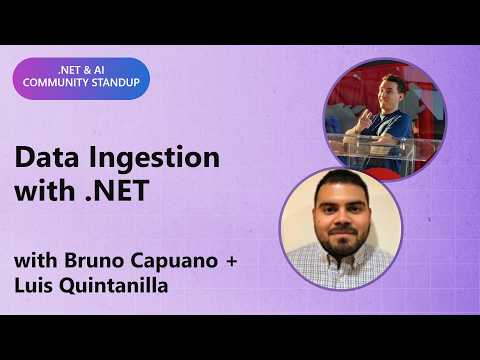
.NET AI Community Standup: Data Ingestion with .NET
Building AI applications with .NET takes more than connecting a model. It takes making your data useful. Join this AI Community Standup to explore how .NET’s building blocks for AI (Microsoft.Extensions.AI), data ingestion (Microsoft.Extensions.DataIngestion), and vector data (Microsoft.Extensions.VectorData) come together to solve that challenge. Discover how data ingestion, embeddings, and vector search support context engineering, including retrieval-augmented generation (RAG), to help you build practical AI applications grounded in your own documents and business data. 🔗 Links: https://learn.microsoft.com/en-us/collections/ng62sjt1k4jjep 🎙️ Featuring: Bruno Capuano (@elbruno), Luis Quintanilla #AI #DataIngestion #DotNet